MULTI-MODEL – TOMTOM NAVIGATION SYSTEM SERVICE INFORMATION
APPLICABLE MODEL(S)/VINS
2013 Mazda3
2014-2015 Mazda6
2013-2015 CX-5
2013-2015 CX-9
The Navigation system support for diagnostics, parts authorization, and parts exchange require contacting the proper source.
- TomTom Navigation Help Desk at 866-486-6866 from 7am-11pm (M-F) and 9am-8pm (Sat) Eastern Standard Time.
NOTE: One of the first steps for troubleshooting the navigation system is for the customer or dealer to call TomTom. If the TomTom call center cannot solve the customer’s problem, they will provide a case number to the customer that can be referred to if needed. Service Advisors should get this case number from the customer if the vehicle comes into the dealer for further diagnosis so the technician can have it when calling TomTom.
TomTom navigation exchange units are shipped from United Radio with a brand new SD card installed. Unit replacement authorization is not required; however, United Radio requires a Navigation Device ID for ordering. Refer to TOMTOM DEVICE ID INSPECTION. Return the original navigation unit with the original SD card installed in the unit. DO NOT reuse the original SD card with the new navigation unit.
- If the customer has previously updated his/her map or purchased any content:
- They can download the purchased content to the new SD card at no additional cost. If the customer has questions, refer them to www.mazdausa.com/navigation.
- If the customer had previously set favorite locations or other settings, they will need to enter the changes again.
- The new SD card comes with a new Latest Map Guarantee (LMG). If the customer does not have an active update subscription, they can download the latest map using LMG.
- If the customer has NOT updated his/her map or purchased any content:
NOTE: Make sure that the original SD card is returned with the original unit. The navigation unit serial number is recorded on the SD card and will be checked. If the orginal card is not returned with the unit, the core will not be considered complete.
For TomTom user guides and update resources, refer to www.mazdausa.com/navigation.
TOMTOM DEVICE ID INSPECTION
- Is the system operational?
- Yes – Proceed to step 2.
- No – Proceed to step 9.
- Turn the ignition to the ACC or ON position (engine off).
- Turn the audio on.
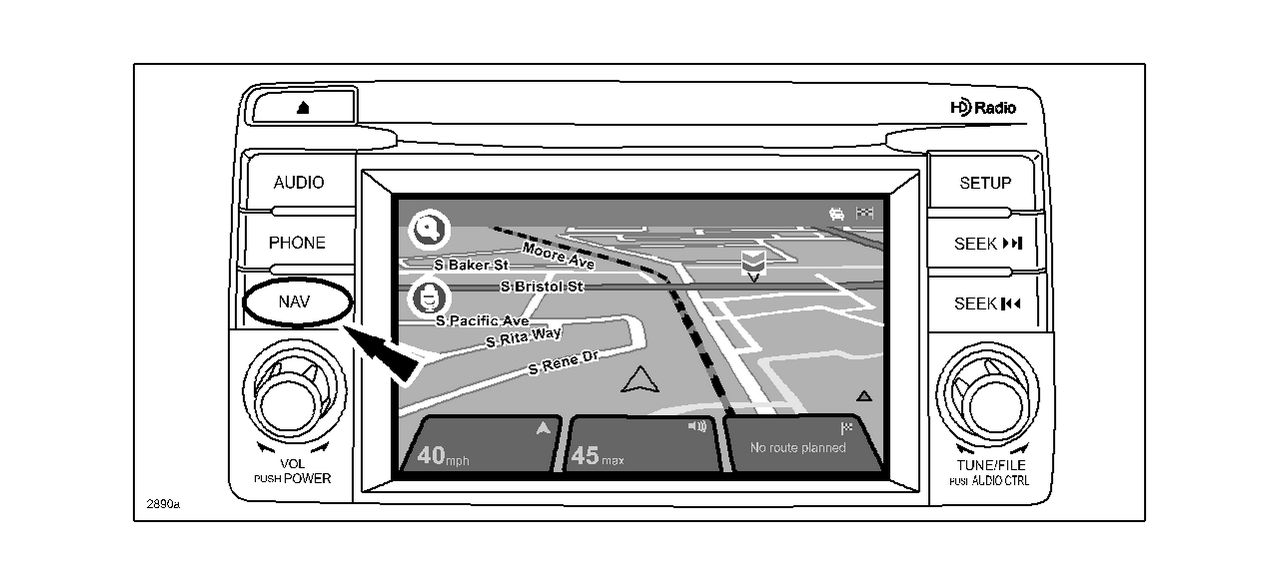
- Select the NAV button, then touch the navigation screen.
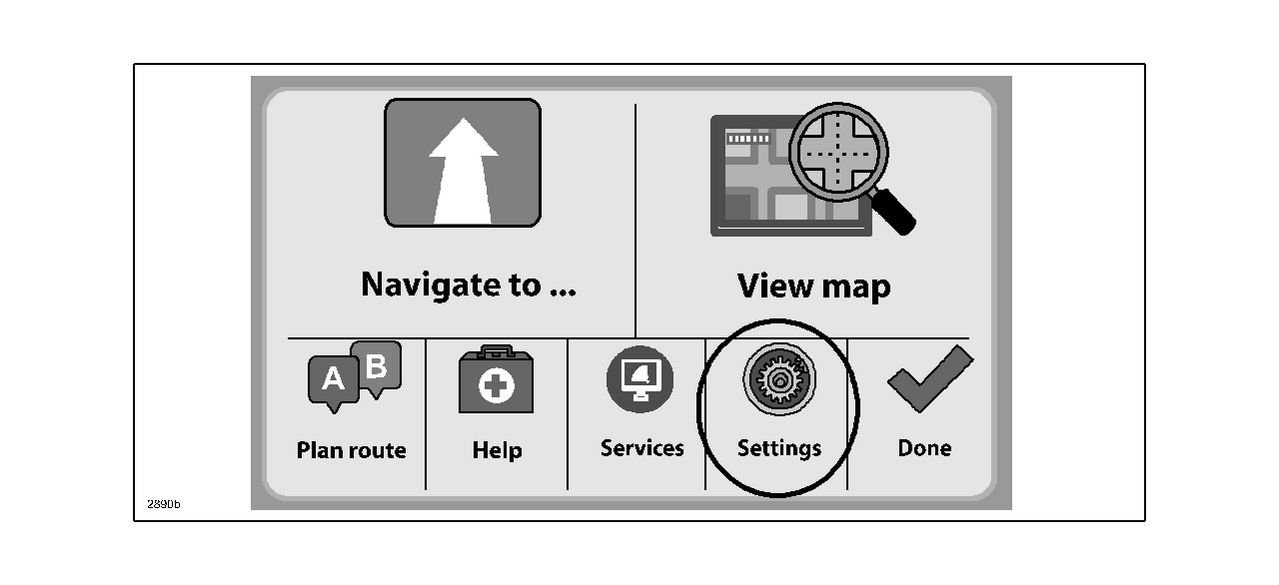
- From the Navigation menu, select Settings.
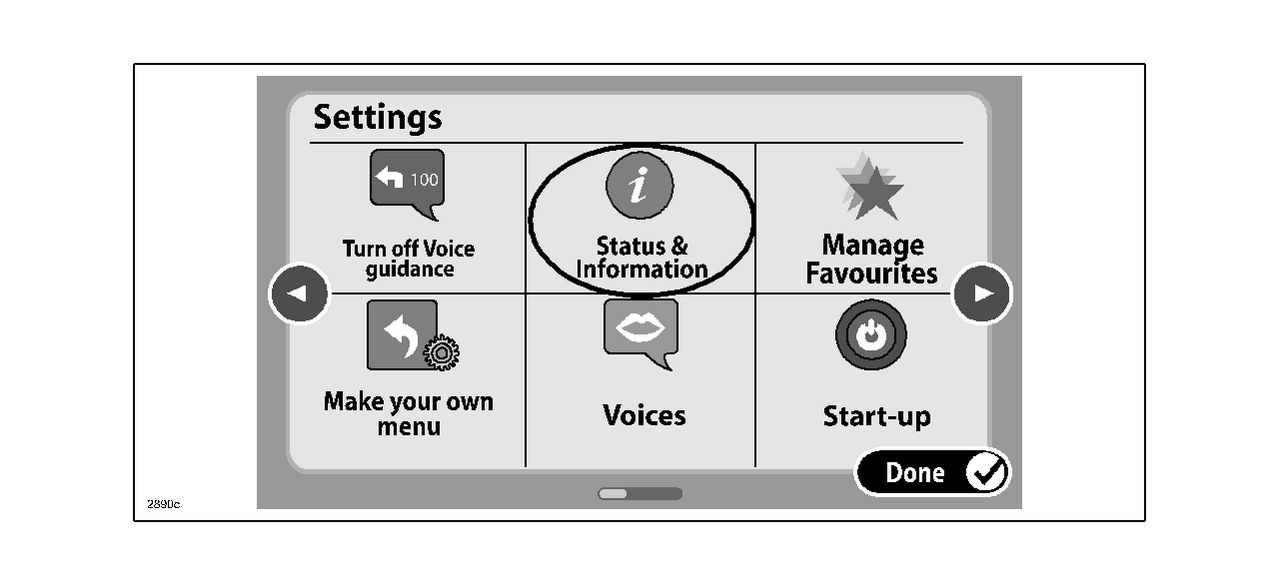
- From the Settings menu, select Status & Information.
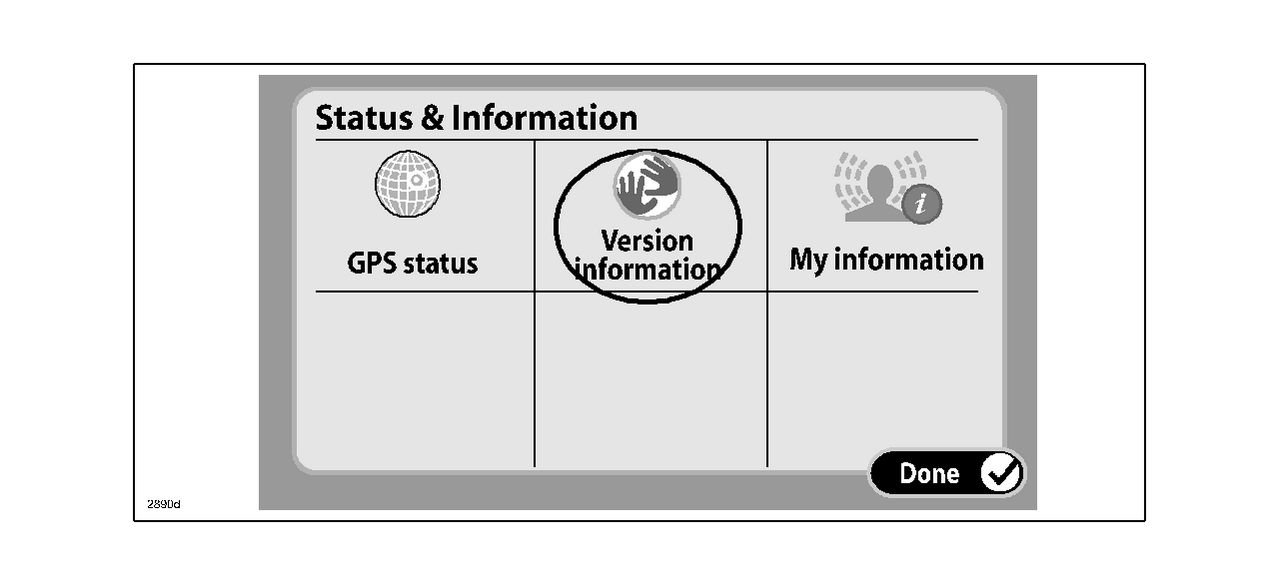
- From the Status & Information menu, select Version information.
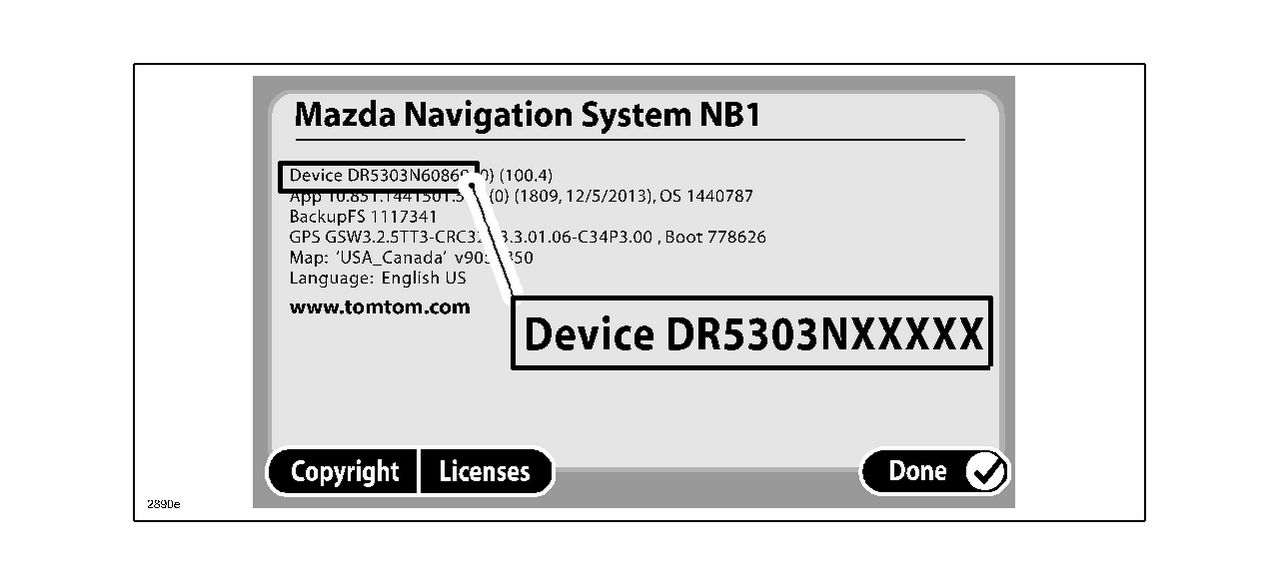
- From the Mazda Navigation System screen, record the Device ID.
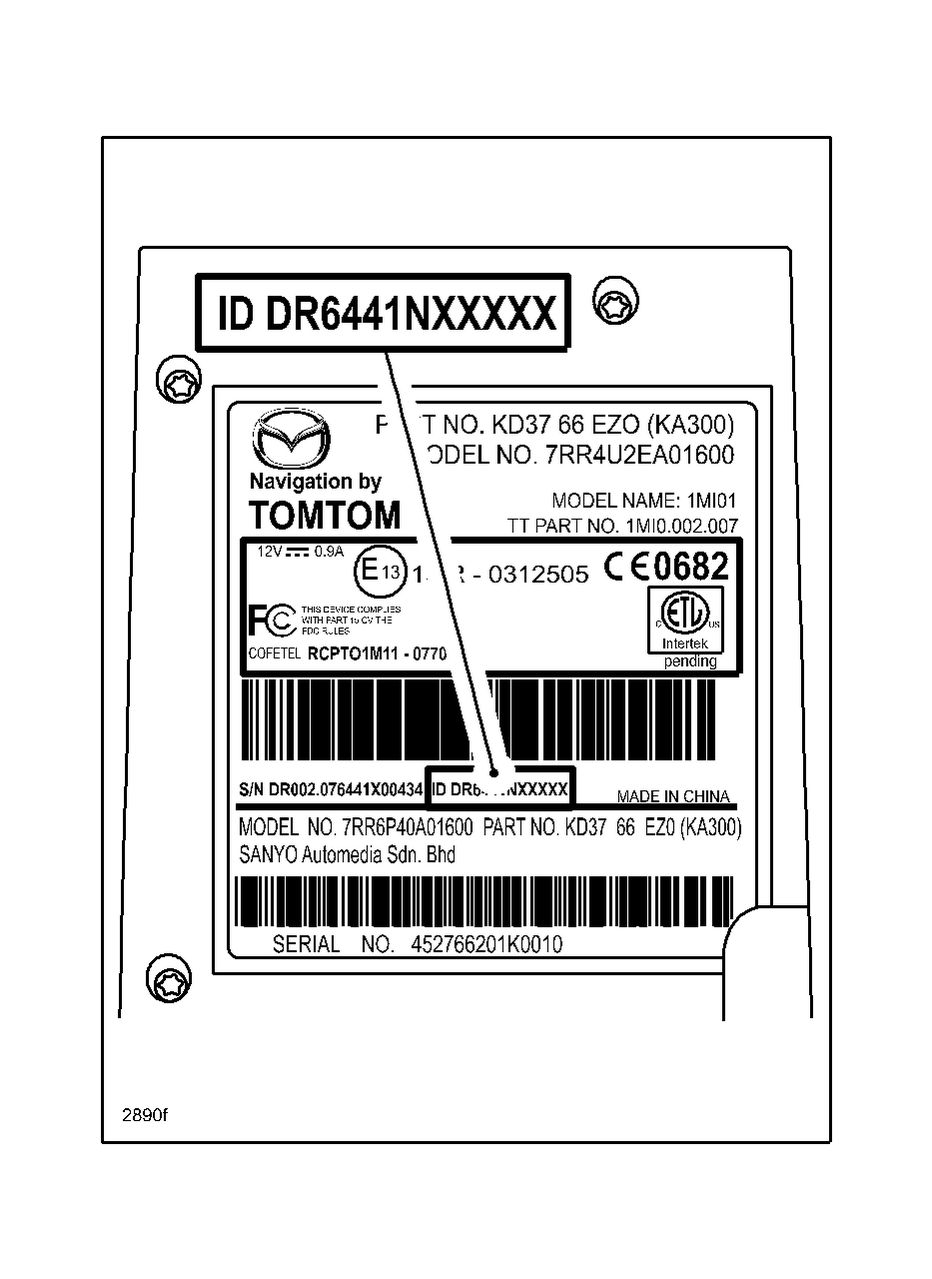
- If the navigation system is inoperative, remove the navigation unit and record the Version ID information. Refer to MS3 online or Workshop Manual section 09-20 for navigation unit removal instructions.
No products found.

- Foursquare - Search millions of additional new and popular restaurants, shops and more with Foursquare
- Garmin Real Directions - Garmin Real Directions guides like a friend using landmarks and traffic lights
- Direct Access - Simplifies navigating to select complex destinations, like malls and airports
- Backup Camera Compatible - Take the worry out of reversing with the BC 30 Wireless Backup Camera (purchased separately)3
- Free lifetime Map updates

- Vehicle dash mount for use on any stable surface
- Securely holds your GPS in vehicle.Keep your device in easy sight with this portable friction mount, and then remove it from your vehicle when you arrive at your destination
- Does not slide or detach while vehicle is in motion
- Adjustable to position GPS in a variety of angles
- Ships in Certified Frustration-Free Packaging

This product presentation was made with AAWP plugin.